Stripe Payments in Next.js: Webhooks Done Right
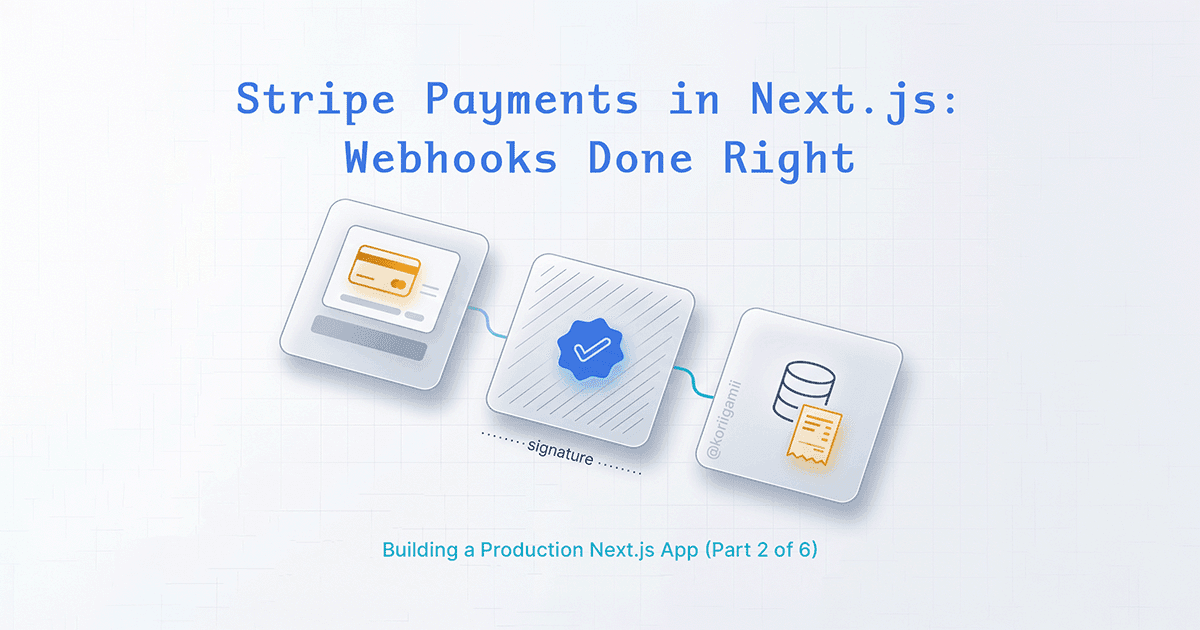
Stripe's documentation covers the basics, but integrating payments into a Next.js App Router project has some non-obvious gotchas. This guide focuses on the parts that actually trip people up: webhook signature verification, TypeScript metadata typing, build-time errors, and getting receipts to users.
What we're building
A complete payment flow:
- Checkout session creation with Server Actions
- Webhook endpoint that verifies signatures and creates database records
- Payment success page with order confirmation
- Receipt download for customers
Environment setup
You need three environment variables:
STRIPE_SECRET_KEY=sk_test_...
STRIPE_WEBHOOK_SECRET=whsec_...
NEXT_PUBLIC_BASE_URL=http://localhost:3000
Get the webhook secret from Stripe Dashboard > Developers > Webhooks after creating your endpoint. For local development, use the Stripe CLI:
stripe listen --forward-to localhost:3000/api/webhooks/stripeThe CLI prints a webhook signing secret - use that for local testing.
Creating checkout sessions
Use a Server Action to create checkout sessions. This keeps your secret key on the server.
// actions/stripeActions.ts
"use server";

import Stripe from 'stripe';
import { redirect } from 'next/navigation';

// Lazy initialization - more on this later
function getStripe() {
  if (!process.env.STRIPE_SECRET_KEY) {
    throw new Error('STRIPE_SECRET_KEY is not set');
  }
  return new Stripe(process.env.STRIPE_SECRET_KEY);
}

export async function createCheckoutSession(
  userId: string,
  packageName: string,
  totalPrice: number,
  currency: string,
  serviceName: string
) {
  if (!userId) {
    return { error: "You must be logged in to make a purchase." };
  }

  let sessionUrl: string | null = null;

  try {
    const stripe = getStripe();

    const session = await stripe.checkout.sessions.create({
      line_items: [
        {
          price_data: {
            currency: currency,
            product_data: {
              name: `${packageName} Package`,
              description: `Package for ${serviceName}`,
            },
            unit_amount: totalPrice * 100, // Stripe uses cents/ore
          },
          quantity: 1,
        },
      ],

      // Store data you'll need in the webhook
      metadata: {
        userId: userId,
        serviceName: serviceName,
        packageName: packageName,
      },

      mode: 'payment',
      payment_method_types: ['card'],
      billing_address_collection: 'required',

      success_url: `${process.env.NEXT_PUBLIC_BASE_URL}/payment/success?package=${encodeURIComponent(packageName)}&sessions=5`,
      cancel_url: `${process.env.NEXT_PUBLIC_BASE_URL}/booking/cancel`,
    });

    sessionUrl = session.url;
  } catch (error) {
    console.error("Error creating checkout session:", error);
    return { error: "Failed to create payment session. Please try again." };
  }

  // Redirect AFTER the try-catch, not inside it
  if (sessionUrl) {
    redirect(sessionUrl);
  }

  return { error: "Failed to create payment session." };
}
The redirect happens outside the try-catch block. Next.js handles redirects by throwing a special error internally. If you put
redirect()inside the try block, your catch will intercept it and the redirect won't work.
Calling the action from a component
// components/CheckoutButton.tsx
"use client";

import { createCheckoutSession } from '@/actions/stripeActions';
import { useAuth } from '@/context/AuthContext';

export function CheckoutButton({ packageName, price, serviceName }: Props) {
  const { user } = useAuth();

  const handleCheckout = async () => {
    if (!user) {
      // Redirect to login or show error
      return;
    }

    const result = await createCheckoutSession(
      user.uid,
      packageName,
      price,
      'sek', // or 'usd'
      serviceName
    );

    if (result?.error) {
      alert(result.error);
    }
    // If successful, the server action redirects to Stripe
  };

  return (
    <button onClick={handleCheckout}>
      Purchase {packageName}
    </button>
  );
}
The webhook endpoint
Webhooks are where Stripe tells you "the payment actually went through." Don't trust the success URL alone - users can navigate there directly.
// app/api/webhooks/stripe/route.ts
import Stripe from 'stripe';
import { NextResponse } from 'next/server';
import connectDB from '@/lib/mongodb';
import UserPackage from '@/models/UserPackage';
import { add } from 'date-fns';

// Required: prevent Next.js from trying to prerender this route
export const dynamic = 'force-dynamic';

// Define your metadata shape
interface CheckoutMetadata {
  userId: string;
  serviceName: string;
  packageName: string;
}

const packageDetails: Record<string, { sessions: number; validityDays: number }> = {
  'Starter': { sessions: 1, validityDays: 10 },
  'Standard': { sessions: 5, validityDays: 45 },
  'Premium': { sessions: 10, validityDays: 90 },
};

// Lazy initialization
function getStripe() {
  if (!process.env.STRIPE_SECRET_KEY) {
    throw new Error('STRIPE_SECRET_KEY is not set');
  }
  return new Stripe(process.env.STRIPE_SECRET_KEY);
}

function getWebhookSecret() {
  if (!process.env.STRIPE_WEBHOOK_SECRET) {
    throw new Error('STRIPE_WEBHOOK_SECRET is not set');
  }
  return process.env.STRIPE_WEBHOOK_SECRET;
}

export async function POST(req: Request) {
  const body = await req.text();
  const signature = req.headers.get('stripe-signature') as string;

  let event: Stripe.Event;

  try {
    const stripe = getStripe();
    const webhookSecret = getWebhookSecret();
    event = stripe.webhooks.constructEvent(body, signature, webhookSecret);
  } catch (err) {
    const errorMessage = err instanceof Error ? err.message : 'Unknown error';
    return NextResponse.json(
      { error: `Webhook signature verification failed: ${errorMessage}` },
      { status: 400 }
    );
  }

  if (event.type === 'checkout.session.completed') {
    const session = event.data.object as Stripe.Checkout.Session;

    // TypeScript fix: double cast through unknown
    const { userId, serviceName, packageName } = session.metadata as unknown as CheckoutMetadata;

    const details = packageDetails[packageName];
    if (!details) {
      console.error(`Invalid package name: ${packageName}`);
      return NextResponse.json({ error: 'Invalid package name' }, { status: 400 });
    }

    const purchaseDate = new Date();
    const expiryDate = add(purchaseDate, { days: details.validityDays });

    try {
      await connectDB();
      await UserPackage.create({
        userId,
        serviceName,
        packageName,
        totalSessions: details.sessions,
        sessionsRemaining: details.sessions,
        purchaseDate,
        expiryDate,
        stripePaymentId: session.payment_intent as string,
      });
    } catch (dbError) {
      console.error("Database error:", dbError);
      return NextResponse.json({ error: 'Database error' }, { status: 500 });
    }
  }

  // Always return 200 to acknowledge receipt
  return NextResponse.json({ received: true }, { status: 200 });
}
Reading the raw body
Stripe webhook verification requires the raw request body. In Next.js App Router, use
req.text()instead ofreq.json(). If you parse the JSON first, the signature verification will fail because the body has been modified.
// Correct
const body = await req.text();
event = stripe.webhooks.constructEvent(body, signature, webhookSecret);

// Wrong - verification will fail
const body = await req.json();
TypeScript metadata typing
Stripe's session.metadata has type Stripe.Metadata | null, which is { [key: string]: string }. When you try to destructure specific properties, TypeScript complains.
The naive fix doesn't work:
// Error: Type 'Stripe.Metadata' has no property 'userId'
const { userId, packageName } = session.metadata!;
Adding an interface helps, but not enough:
interface CheckoutMetadata {
  userId: string;
  serviceName: string;
  packageName: string;
}

// Error: Types don't overlap sufficiently
const { userId, packageName } = session.metadata as CheckoutMetadata;
The fix: cast through unknown first:
const { userId, serviceName, packageName } = session.metadata as unknown as CheckoutMetadata;This tells TypeScript "trust me, I know what I'm doing." You're taking responsibility for ensuring the metadata actually contains these fields - which you control when creating the checkout session.
Build-time errors and lazy initialization
This error drove me crazy the first time I saw it:
Neither apiKey nor config.authenticator providedIt happens because Next.js tries to prerender your routes during build. When it hits code that initializes Stripe at module load time, the environment variables might not be available yet:
// This runs at build time, before env vars are loaded
const stripe = new Stripe(process.env.STRIPE_SECRET_KEY!);

export async function POST(req: Request) {
  // ...
}
The fix is lazy initialization - only create the Stripe instance when the function actually runs:
function getStripe() {
  if (!process.env.STRIPE_SECRET_KEY) {
    throw new Error('STRIPE_SECRET_KEY is not set');
  }
  return new Stripe(process.env.STRIPE_SECRET_KEY);
}

export async function POST(req: Request) {
  const stripe = getStripe(); // Created at runtime, not build time
  // ...
}
Combined with export const dynamic = 'force-dynamic', this prevents Next.js from trying to statically generate the route.
The success page
After successful payment, Stripe redirects to your success_url. Pass relevant data through query parameters:
success_url: `${process.env.NEXT_PUBLIC_BASE_URL}/payment/success?package=${encodeURIComponent(packageName)}&sessions=5`,Then build a proper confirmation page:
// app/payment/success/page.tsx
"use client";

import { useSearchParams } from 'next/navigation';
import { CheckCircle } from 'lucide-react';
import Link from 'next/link';

export default function PaymentSuccessPage() {
  const searchParams = useSearchParams();

  const packageName = searchParams.get('package') || 'Your Package';
  const sessions = searchParams.get('sessions') || '0';

  return (
    <div className="min-h-screen flex items-center justify-center py-12 px-4">
      <div className="max-w-md w-full text-center">
        <div className="inline-flex items-center justify-center w-16 h-16 rounded-full bg-green-100 mb-6">
          <CheckCircle className="w-10 h-10 text-green-600" />
        </div>

        <h1 className="text-2xl font-bold mb-2">Payment Successful!</h1>
        <p className="text-gray-600 mb-6">
          Thank you for purchasing {packageName}
        </p>

        <div className="bg-gray-50 rounded-lg p-4 mb-6">
          <p className="text-sm text-gray-500">Sessions included</p>
          <p className="text-xl font-semibold">{sessions}</p>
        </div>

        <div className="space-y-3">
          <Link
            href="/booking"
            className="block w-full bg-blue-600 text-white py-2 px-4 rounded-lg hover:bg-blue-700"
          >
            Book Your First Session
          </Link>
          <Link
            href="/dashboard"
            className="block w-full border border-gray-300 py-2 px-4 rounded-lg hover:bg-gray-50"
          >
            View Dashboard
          </Link>
        </div>
      </div>
    </div>
  );
}
Don't rely on the success page to confirm the payment happened. The webhook is the source of truth - users can hit the success URL directly, and some payments take time to process.
Receipt download
Stripe automatically generates receipts for successful payments. You can retrieve the receipt URL from the PaymentIntent after the charge completes:
// In your webhook handler, after payment confirmation
let receiptUrl: string | undefined;

try {
  const stripe = getStripe();
  if (session.payment_intent) {
    const paymentIntent = await stripe.paymentIntents.retrieve(
      session.payment_intent as string,
      { expand: ['charges'] }
    );

    // The receipt URL is on the charge object
    const charges = (paymentIntent as any).charges;
    receiptUrl = charges?.data?.[0]?.receipt_url || undefined;
  }
} catch (error) {
  console.error("Error retrieving receipt URL:", error);
  // Don't fail the webhook - receipts aren't critical
}

// Store it with the order
await UserPackage.create({
  // ... other fields
  stripeReceiptUrl: receiptUrl,
});
Note the as any cast - Stripe's TypeScript types don't fully reflect the expanded response structure. The expand: ['charges'] option fetches related charge data, but the types don't know about it.
Display the receipt link in your UI:
{payment.stripeReceiptUrl && (
  <a
    href={payment.stripeReceiptUrl}
    target="_blank"
    rel="noopener noreferrer"
    className="text-blue-600 hover:text-blue-800"
  >
    View Receipt
  </a>
)}
Receipt URLs are hosted by Stripe and valid for about 30 days. For permanent records, consider using Stripe Invoicing or generating your own PDFs.
Common pitfalls
Webhook returns 400 with "No signatures found"
The signature header is missing or malformed. Check:
- You're using
req.headers.get('stripe-signature'), not parsing it from the body - The webhook secret matches your environment (test vs live, local CLI vs dashboard)
Webhook works locally but fails in production
Different webhook secrets for different environments. The Stripe CLI generates a different secret than the dashboard webhook. Make sure your deployed environment has the production webhook secret.
Payment succeeds but database record isn't created
Check your webhook logs in Stripe Dashboard. Common issues:
- Database connection failures (add retry logic)
- Missing fields in metadata (the checkout session didn't include required data)
- Error before the database write (validation failure on the package name, for example)
Build fails with "STRIPE_SECRET_KEY is not set"
You're initializing Stripe at module load time. Use the lazy initialization pattern shown above.
Testing checklist
- Local webhook testing: Run
stripe listen --forward-to localhost:3000/api/webhooks/stripe - Test card numbers: Use
4242 4242 4242 4242for successful payments - Verify database records: Check that the webhook creates the expected records
- Test the success page: Confirm it displays correctly with different URL parameters
- Check receipt links: Verify they open Stripe's hosted receipt page
File structure
app/
├── api/
│   └── webhooks/
│       └── stripe/
│           └── route.ts         # Webhook handler
└── payment/
    └── success/
        └── page.tsx             # Post-payment confirmation
actions/
└── stripeActions.ts             # Server Action for checkout
models/
└── UserPackage.ts               # Database model with stripeReceiptUrl
Key takeaways
- Use
req.text()for webhook body, notreq.json()- Cast metadata through
unknownfor TypeScript:as unknown as CheckoutMetadata- Add
export const dynamic = 'force-dynamic'to webhook routes- Use lazy initialization (
getStripe()) to avoid build-time errors- Store the receipt URL from
PaymentIntent.charges[0].receipt_url- Don't trust the success URL - verify payments via webhook
- Always return 200 from webhooks to acknowledge receipt
The webhook is where all the real work happens. Get the signature verification right, handle the TypeScript types properly, and make sure your database operations are solid. Everything else is just moving data around.